


Advertisement


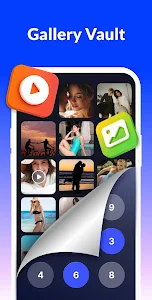


App Lock – Lock Apps, Password brings powerful mobile security to your Android device by letting you lock apps, hide media, encrypt files, and stop unauthorized access instantly. With just one tap, your private apps and sensitive content stay protected – making it an essential tool for anyone who wants to keep personal information safe and out of reach.
Lock Any App Instantly for Stronger Privacy
App Lock strengthens your device by allowing you to secure any app with a pattern, fingerprint, or password. Whether you want to protect social apps like Facebook, WhatsApp, and Messenger, or personal tools like Gmail, Calls, Photos, Play Store, and banking apps, the app gives you complete control over who can access what.
This layer of protection ensures that no one can read your messages, browse your photos, or view your notifications without permission. Your personal information stays private, even when someone borrows your phone.
Hide Photos and Videos Inside a Secure Vault
Your gallery often holds your most personal memories – and App Lock helps safeguard them by turning your media into an encrypted vault. Once photos and videos are locked, they can only be viewed with your password, ensuring complete privacy.
Whether it’s sensitive files, personal photos, or important documents, everything stays hidden, protected, and inaccessible to curious eyes.
Multiple Lock Types for Flexible and Reliable Protection
App Lock offers several lock methods to match your preferences:
- Pattern lock
- PIN/password lock
- Fingerprint unlock
- Invisible pattern drawing to prevent people from watching your screen
These tools combine convenience with high-level security, making it easier to secure your device without compromising speed. The upcoming update will add PIN with a random keyboard layout, increasing security even further by preventing password guess attempts.
Smart Intruder Detection and Advanced Protection
One of the standout features in App Lock is intruder selfie. When someone enters the wrong password, the app automatically captures their photo – giving you a clear record of who attempted to access your apps. This feature enhances accountability and alerts you immediately of potential security breaches.
Other advanced tools include:
- Hiding App Lock from recent apps, preventing anyone from spotting it
- Real-time locking without display delay
- Customizable re-lock time, so you don’t need to enter your password repeatedly
- Instant locking of newly installed apps to prevent accidental exposure
These protections combine to create a seamless, invisible security shield around your device.
Easy Setup, Simple Controls, and Helpful Recovery Options
App Lock is designed for smooth and intuitive use. You can activate or disable app locking with a single tap, and all settings are organized clearly for quick navigation.
If you forget your password, you can reset it easily using security questions – ensuring you never get locked out of your own apps. The setup process is beginner-friendly, while still offering strong customization options for advanced users.
To function fully, the app requires permissions such as file access (for hiding photos and videos) and accessibility services (for optimizing lock speed and performance). These permissions are strictly used for security purposes and are never exploited for unrelated activities.
Upcoming Features That Strengthen Your Digital Privacy
App Lock continues to evolve with new features designed to deliver even stronger protection:
- Private browsing mode
- App icon disguise
- Theme customization
- Hidden notification previews
- A more advanced photo vault
- Improved intruder capture tools
These additions will bring even more control, privacy, and personalization to your device security experience.
Secure Your Phone With a Reliable and Easy-to-Use App Locker
App Lock – Lock Apps, Password delivers a complete and dependable way to protect your apps, files, and personal data. From locking individual apps to hiding photos, detecting intruders, and offering multiple security methods, the app provides everything you need to stay safe on your Android device.
Anyone who values privacy – parents, professionals, students, or everyday users – can benefit from the simplicity and speed App Lock offers. Download the app, secure your information, and enjoy peace of mind knowing your phone is protected 24/7.
Advertisement
Additional Information
- Version 1.8.9
- Requires Android 8.0+
- Update November 29, 2025
- Developed by InShot Inc.
- Google Play ID applock.lockapps.fingerprint.password.locker
Advertisement


