


Advertisement
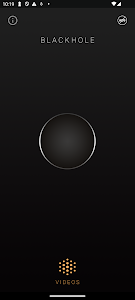




Some video tools try to do everything — filters, layers, transitions, timelines — and end up feeling slow and complicated. BlackHole takes the opposite path. It focuses on one job, does it cleanly, and makes the process unbelievably simple: remove audio from video — fast, clean, and without reducing quality.
Whether you’re preparing content for presentations, social posts, tutorials, or professional editing workflows, BlackHole gives you a quiet, distraction-free video with just a few taps.
Below are six key reasons why BlackHole stands out.
Built for One Purpose — And It Does It Well
BlackHole isn’t a full editing studio. It doesn’t add music, trim clips, or layer effects. Instead, it specializes entirely in audio removal.
You select a video, the app processes it, and you receive a version with the sound completely stripped out. No complicated menus. No advanced tools to figure out. Just a single, focused function that saves time and avoids confusion — especially useful for users who simply want their video silent.
Clean and Lightweight Design
The app opens to a clean, intuitive interface. Everything is clearly labeled, and every action feels direct and purposeful.
Because BlackHole is lightweight, it:
- Loads quickly
- Works smoothly on devices with limited storage
- Avoids unnecessary lag
This minimal approach is perfect for students, content creators, freelancers, and everyday users who need quick edits without demanding hardware.
A Faster Editing Workflow
Removing audio often requires opening large editing suites, exporting heavy files, and navigating long timelines. BlackHole eliminates all of that.
With it, you can:
- Import a video
- Process it automatically
- Export a silent version
This cuts out extra steps and keeps your workflow efficient. The app can easily fit into larger editing processes too — you can silence your video here first, then move it into your main editing tool later.
Maintain Video Quality While Muting Sound
A silent video doesn’t have to look worse.
BlackHole removes only the audio track, preserving resolution and clarity. That means:
- Clean visuals
- No compression artifacts
- No unwanted changes to playback
The result is a polished, professional-looking video ready for presentations, background visuals, social media, or additional editing elsewhere.
Designed for Simplicity and Accessibility
BlackHole is great for users who don’t want to learn complicated software. There are no tutorials required and no technical editing knowledge needed.
Typical use cases include:
- Removing background noise before adding narration elsewhere
- Preparing silent videos for classrooms or presentations
- Creating muted content for social feeds
- Producing videos meant to run quietly in public spaces
Anyone can open the app and complete the task within seconds — which makes it especially helpful for fast, on-the-go work.
A Focused Tool — With a Few Limitations
Because BlackHole is intentionally simple, there are natural trade-offs.
Pros
- Focused audio removal
- Clean, distraction-free interface
- Ideal for basic video preparation
Cons
- No trimming, editing, or replacing sound
- Contains in-app advertisements
Still, for users who value speed, minimalism, and clarity, BlackHole delivers exactly what it promises — and nothing gets in the way.
When Simple Really Is Better
BlackHole proves that not every video app needs dozens of advanced features. Sometimes, the most useful tools are the ones that remove obstacles instead of adding new ones.
If your goal is simply to mute videos quickly, keep them clean, and stay productive, BlackHole offers a straightforward, dependable solution — especially for creators who prefer an uncluttered workflow.
Download it, silence your clips, and enjoy the ease of letting a single-purpose app do exactly what it was built for effortlessly.
Advertisement
Additional Information
- Version 40
- Requires Android 6.0+
- Update December 31, 2025
- Developed by fawazapp
- Google Play ID com.fawazapp.blackhole
Advertisement


