



Advertisement







Switching to a new phone should feel exciting – not stressful.
But for many people, upgrading a device instantly turns into a checklist of worries: Will I lose my contacts? What about my photos? My calendar? Do I need a computer? Will it take hours?
That’s where Copy My Data makes a real difference.
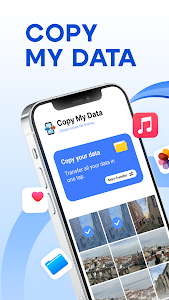
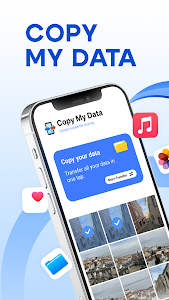
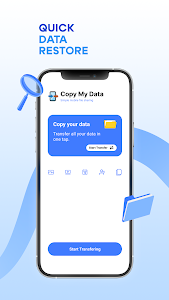
Copy My Data: Transfer Content is a lightweight, user-friendly app that helps you transfer contacts, calendar entries, photos, and videos from one phone to another quickly – often in just a few steps. It works through WiFi (and in some cases Google Drive), so you don’t need cables, extra software, or a PC in the middle. If you want a fast and hassle-free way to migrate your data, this app is worth having on your new device.
Transfer Your Data Seamlessly Over WiFi (No PC Needed)
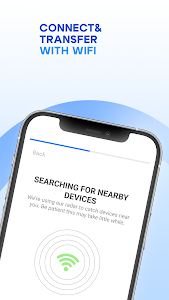
One of the biggest advantages of Copy My Data is how simple it is: install it on both devices, connect to the same WiFi network, and follow the on-screen instructions.
Instead of:
- exporting files to a computer
- uploading everything manually
- downloading again on your new phone
Copy My Data lets you move your information directly between devices – saving time and avoiding unnecessary steps. It’s a perfect solution when you want a quick phone-to-phone transfer at home.
Move the Essentials: Contacts, Calendar, Photos & Videos
Not every data transfer app covers what users actually need. Copy My Data focuses on the most important files people worry about when upgrading.
You can transfer:
- Contacts (so you don’t lose phone numbers)
- Calendar entries (meetings, reminders, schedules)
- Photos (memories, screenshots, important images)
- Videos (family clips, work videos, content drafts)
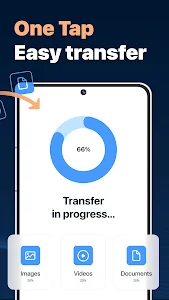
Contacts and calendars transfer quickly, while photo/video transfers may take longer depending on how much content you have – but the process stays easy and guided.
Cross-Platform Support: iOS to Android (and More)
A major reason Copy My Data stands out is its ability to support cross-platform transfers, such as:
- iOS → Android
- Android → Android
- devices running the same OS or different OS
This is especially helpful if you’re switching brands or moving from an older phone to a new one that doesn’t support your previous system smoothly.
Instead of searching for complicated migration tools, Copy My Data keeps things simple.
Lightweight App Size + Beginner-Friendly Interface
Copy My Data is known for being small and efficient. Many similar apps are heavy, filled with extra features, or overloaded with ads and menus.
With Copy My Data, you get:
- a simple layout
- clear buttons and steps
- an interface that’s friendly even for first-time users
- a fast setup experience once both devices are ready
It’s a great “install, transfer, done” kind of app – perfect for people who don’t want to spend time learning new tools.
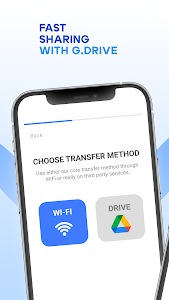
Two Transfer Methods: WiFi or Google Drive
Depending on your needs, Copy My Data offers two ways to migrate:
Option 1: WiFi Transfer
This is the fastest and most direct method, but both devices must be:
- connected to the same WiFi network
- allowed to communicate with each other
Tip: Some public or corporate WiFi networks block device-to-device communication. If the app can’t connect, try switching to a home network or hotspot.
Option 2: Google Drive Backup
This option can be useful when you want an extra copy of your data or prefer cloud-based transfer.
Reliable for Daily Use (With One Common Setup Challenge)
Copy My Data is generally reliable once connected. However, like many WiFi transfer tools, you may occasionally experience:
- connection delays
- failed pairing on newer devices
- needing to retry setup once or twice
The good news: once the devices connect successfully, the transfer process runs smoothly, and you can even keep both phones at a distance while data moves through WiFi.
For full data migration – without cables or PC steps – this app remains a solid choice.
Is Copy My Data Worth Downloading?
If you’re upgrading your phone and want a free, fast, lightweight tool to move your most important information, Copy My Data is absolutely worth downloading.
It helps you transfer essential phone data in minutes, works across different operating systems, and keeps the experience simple – even if you’re not tech-savvy.
Download Copy My Data: Transfer Content today and upgrade your phone without losing your contacts, memories, or schedule.
Advertisement
Additional Information
- Version 4.0.1
- Requires Android 5.0+
- Update February 3, 2026
- Developed by Red Sky Labs
- Google Play ID com.mediamushroom.copymydata
Advertisement


