


Advertisement
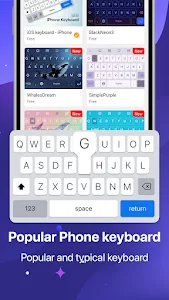
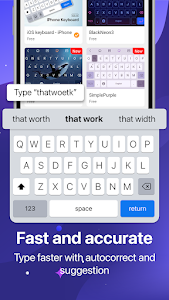
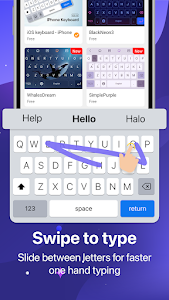
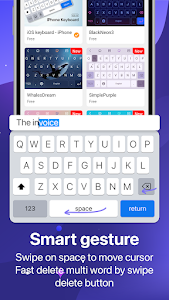

Visual style plays a big role in how enjoyable daily smartphone use can be, especially when it comes to typing. Keyboard OS 18 is a free Android keyboard app designed for users who love the clean, modern look of iOS keyboards but prefer the flexibility of Android. With system-inspired sounds, emoji styling, and customizable themes, this keyboard offers a fresh way to personalize your typing experience.
iOS-Inspired Design for Android Users
Keyboard OS 18 focuses on delivering an OS-style keyboard appearance that feels familiar, minimal, and visually polished. The layout is clean and easy to understand, making it simple for new users to adapt without a learning curve.
For Android users who admire the Apple keyboard aesthetic, this app provides a way to enjoy that visual style without switching devices. Friends may even assume you’re typing on the latest OS-based phone thanks to the interface and emoji presentation.
Light, Dark, and Auto Themes for Comfortable Typing
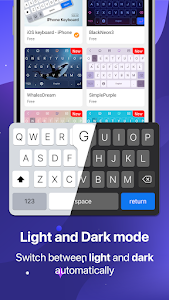
Comfort matters when typing throughout the day. Keyboard OS 18 includes light mode, dark mode, and automatic day/night switching, helping reduce eye strain in different lighting conditions.
The automatic mode adjusts the keyboard theme based on time or system settings, ensuring a smooth visual experience whether you’re typing during the day or late at night. This feature makes the keyboard suitable for extended daily use.
OS-Style Typing Sounds and Emoji Experience
One of the highlights of Keyboard OS 18 is its system-style typing sounds, which add a satisfying tactile feel to every keystroke. Combined with OS-inspired emojis, typing feels more expressive and engaging.
These small details enhance the overall typing experience and make conversations feel more dynamic – especially for users who enjoy subtle audio and visual feedback while typing.
Customization Options to Match Your Style
Beyond the default OS-style look, Keyboard OS 18 supports keyboard customization, allowing users to personalize their experience further. You can adjust:
- Keyboard themes
- Background images
- Button styles
- Typing sounds and effects
This balance between a structured OS design and Android-level customization helps users tailor the keyboard to their personal taste while maintaining a cohesive interface.
Lightweight, Offline-Friendly, and Easy to Use
Keyboard OS 18 is designed to work offline, making it a reliable option even without an internet connection. The app remains lightweight and simple, focusing on essential typing functions rather than overwhelming users with complex features.
For users who prioritize visual style and basic daily typing over advanced AI predictions, this simplicity can feel refreshing and distraction-free.
Who Should Try Keyboard OS 18?
Keyboard OS 18 is best suited for users who:
- Enjoy iOS-style design and system aesthetics
- Want a visually clean keyboard on Android
- Prefer basic, straightforward typing functionality
- Like experimenting with keyboard themes and sounds
While it does not focus on advanced predictive text or heavy automation, it delivers a distinct visual experience that many users appreciate for casual and everyday typing.
Final Thoughts
Keyboard OS 18 brings a recognizable OS-inspired keyboard style to Android, combining clean visuals, system-like sounds, and flexible customization. It’s a solid choice for users who value appearance, simplicity, and offline usability in their typing experience.
Download Keyboard OS 18 today and give your Android keyboard a fresh, OS-style makeover – simple, stylish, and easy to use.
Advertisement
Additional Information
- Version 1.10.0
- Requires Android 7.0+
- Update December 18, 2025
- Developed by YM, Inc.
- Google Play ID com.epicapps.facemoji.ios.keyboard.theme
Advertisement


