


Photo Resizer: Crop, Resize, S MOD APK 2.4 (Pro Unlocked)
Advertisement








Uploading photos shouldn’t feel like a technical challenge. Yet oversized files, wrong dimensions, and quality loss often turn a simple task into a headache – especially when posting to social media, sending emails, or managing online content. Photo Resizer: Crop, Resize, Save solves this problem with a fast, lightweight, and user-friendly approach to image optimization.
Built for everyday users and content creators alike, this app makes resizing images effortless while preserving the quality that matters most.
Resize Images Without Sacrificing Quality
One of the biggest concerns when resizing images is quality loss. Photo Resizer is designed specifically to maintain the best possible image quality, even after multiple resizing actions. Whether you’re adjusting photos by exact pixel dimensions, percentages, or aspect ratios, the app ensures clarity and sharpness remain intact.
This makes it ideal for professional uses such as product photos, blog visuals, presentations, or marketing materials – where image quality directly impacts credibility.
Perfect Dimensions for Social Media and Online Platforms
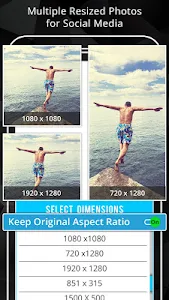
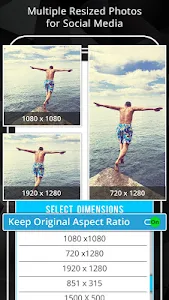
Different platforms require different image sizes, and guessing dimensions often leads to poor results. Photo Resizer eliminates that guesswork by offering predefined resolutions based on common industry standards, along with the option to set custom sizes.
You can quickly resize images for:
- Facebook, Instagram, Twitter, Pinterest
- Online stores and auction listings
- Blogs, websites, and email attachments
Your images will always meet platform requirements – clean, sharp, and ready to post.
Batch Resizing for Maximum Efficiency
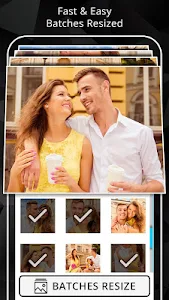
Handling images one by one can be time-consuming. Photo Resizer’s batch resize feature allows you to resize multiple images at once, saving valuable time – especially useful for social media managers, sellers, and students.
Even better, resized images can be exported and shared as a ZIP file directly from the app, making bulk uploads and sharing incredibly convenient.
Simple Editing Tools That Get the Job Done
Beyond resizing, Photo Resizer includes essential editing tools that keep things efficient without overwhelming the user:
- Crop images precisely
- Rotate to fix orientation
- Compare original and resized images side-by-side
- Automatically save resized files
The original image always remains untouched, giving you complete peace of mind.
Lightweight, Beginner-Friendly Design
Photo Resizer features a clean, modern interface that is easy to navigate – even for first-time users. There’s no learning curve, no unnecessary clutter, and no complex settings to figure out.
You can start by selecting an image from your gallery or camera, apply changes instantly, and share the result in seconds. It’s designed for speed, simplicity, and reliability.
Practical Benefits for Everyday Use
Photo Resizer fits seamlessly into daily digital tasks, helping users:
- Save phone storage by reducing image size
- Bypass email attachment size limits
- Speed up website and blog loading times
- Prepare images for documents, PDFs, and presentations
- Share photos quickly with friends, clients, or teams
While the app does include ads and cloud sync options are somewhat limited, these minor drawbacks don’t overshadow its overall functionality and convenience.
Small App, Big Impact
Photo Resizer: Crop, Resize, Save proves that image optimization doesn’t need to be complicated. With powerful resizing tools, batch processing, quality preservation, and an intuitive interface, it’s a practical solution for anyone working with images on a regular basis.
If you want to resize photos quickly, save storage space, and post images confidently across platforms, this app is well worth downloading.
Try Photo Resizer today and take full control of your images without compromising quality.
Advertisement
Additional Information
- Version 2.4
- Requires Android 7.0+
- Update January 20, 2026
- Developed by photoshop mobile apps
- Google Play ID com.zmobileapps.photoresizer
Advertisement


