


Office Reader - PDF,Word,Excel MOD APK 4.6.7 (Premium Unlocked)
Advertisement


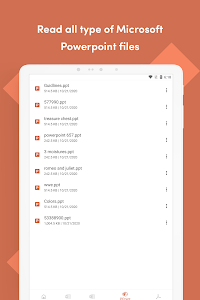


Office Reader – PDF, Word, Excel brings all essential document formats into one lightweight, fast, and convenient application. Instead of switching between multiple tools, users can open, view, and manage Word documents, Excel spreadsheets, PowerPoint presentations, PDFs, text files, eBooks, emails, and even source code – right inside a single interface. Designed for productivity and offline use, the app delivers smooth performance and reliable compatibility, making it an indispensable tool for students, professionals, and everyday users.
Universal File Support for Every Document Type
Office Reader stands out with its extensive compatibility. The app supports a wide variety of formats, including:
- Word (DOC, DOCX)
- Excel (XLS, XLSX)
- PowerPoint (PPT, PPTX)
- PDF and RTF
- TXT, LOG, CSV
- HTML, XHTML, MD
- EPUB, MOBI, AZW
- EML, MSG
- IPYNB, PGN
- MathML, MML
- Over 20 source code languages (Java, Python, C, C++, JS, HTML, CSS, YAML…)
This broad format coverage turns Office Reader into a single hub where nearly any document opens instantly without compatibility errors. Everything loads quickly and maintains its original layout, styling, and structure.
Smooth Viewing for Encrypted & Password-Protected Files
Office Reader supports password-protected formats such as DOCX, XLSX, PPTX, and PDF. Users can unlock and view secure documents directly within the app, making it a suitable tool for business reports, confidential presentations, and sensitive PDF files.
The app preserves formatting, ensuring that charts, tables, fonts, and images appear exactly as intended.
Powerful File Conversion Tools Built Right In
Office Reader includes an impressive suite of conversion tools that help users transform their documents without relying on external software. Supported conversions include:
- Word → PDF, Text
- PowerPoint → PDF, Text
- PDF → PPTX, Text, Rasterized PDF
- RTF → PDF
- CSV → XLSX
- HTML → PDF
- Markdown → PDF
- EML, MSG → PDF
- Source code → PDF
These tools streamline workflows for students preparing assignments, office workers sharing documents, and freelancers producing deliverables. Conversions are fast, accurate, and preserve formatting with minimal loss.
Document Scanning & Image-to-PDF for Everyday Productivity
The app features a built-in scanner that transforms paper documents into clean, professional PDFs. Users can scan:
- Receipts
- Contracts
- Notes
- Business cards
- IDs
- Forms
The image-to-PDF tool helps create digital copies instantly, perfect for submitting documents, storing records, or organizing files.
Combined with the PDF toolkit, Office Reader becomes a practical mobile office – always accessible and ready to handle urgent tasks.
Easy File Management with Smart Navigation & Quick Access
Beyond viewing and converting files, Office Reader simplifies file handling with efficient navigation features:
- Create and manage folders
- Move and organize files
- Search device and SD card storage
- Open files offline
- Share documents directly to other apps
The app’s quick-access feature displays the four most recently opened files when long-pressing the app icon, helping users return to their work instantly.
This makes multitasking smoother, whether switching between reports, slides, or reference PDFs.
Fast, Lightweight, and Designed for a Seamless User Experience
Office Reader keeps everything clean and intuitive. Its lightweight design ensures that files open quickly – even large PDFs, long Excel sheets, or full PowerPoint decks. The interface removes distractions and helps users focus on reading, editing, and managing documents.
Additional advantages include:
- Offline file support
- Multi-platform compatibility
- Built-in PDF editor
- Viewing and editing for Word, Excel, and simple PDF tasks
- ZIP and RAR support
- Smooth performance on both mobile and desktop (through emulators)
While ads may appear and password-protected files may require re-entry when switching orientations, the overall experience remains highly efficient and dependable.
Conclusion
Office Reader – PDF, Word, Excel brings practicality, speed, and convenience together in one powerful document viewer. Its wide format support, built-in converters, file scanner, and streamlined interface make it a reliable choice for anyone who handles documents daily. From students and office workers to freelancers and casual users, the app delivers a complete toolkit for reading, managing, and organizing files without the need for heavy software.
Download Office Reader – PDF, Word, Excel today and upgrade the way you work with documents – simple, seamless, and powerful.
Advertisement
Additional Information
- Version 4.6.7
- Requires Android 8.0+
- Update November 28, 2025
- Developed by nTools
- Google Play ID net.sjava.officereader
Advertisement


