
Download Power Shade Mod APK v18.6.5 (Pro Unlocked)
- Android : 9+
- Version: 18.6.5
- Size: 11 MB
Do you want to turn your phone’s boring default status bar into a colourful, full-featured customisation control centre? Then Power Shade Mod APK lets you fully control your Android notification shade and Quick Settings menu. The application lets you replace the default manufacturer notification shades with beautiful colour schemes, music playback controls, customizable backgrounds, and notification grouping.
The regular version of the application does not allow users to use custom background shades, conceals grid layout change options for Quick Settings under the regular subscription fee, and has a banner advertisement. Downloading this Mod APK will help you remove all these limitations right away.
Learn more about this game in detail here.
About the app
Power Shade APK Mod is a dedicated system-interface customizer engineered to revamp one of the most frequently used elements of your Android smartphone. Built around modern stock Android design principles, the app lets you recolour individual Quick Settings tiles, customise brightness sliders, apply Light, Colored, or pure-black AMOLED Dark notification card themes, and reply to incoming messages directly from the pull-down shade. It also features an intelligent auto-bundling engine that groups spammy app alerts together, along with a dynamic media player that adapts its colour scheme to match your currently playing album artwork.
App Information:
Android Required | Android 9.0+ |
Developer | ZipoApps |
App Size | ~11 MB |
App Version | 18.6.5 |
Downloads | 5 M+ |
Rating | 4.1 |
Rated For | 3+ |
Requirements
Your device must have Android 9.0 or newer to get immediate response from pull-down gesture actions, smooth notification card animation, and reliable background service operation. Power Shade Mod APK will need a regular Quad-Core 1.8 GHz 64-bit CPU and a minimum of 2GB RAM. In addition, the device should have at least 100MB of available internal storage space to install packages and cache Shade wallpapers. The notification customizer works completely offline.
What’s new?
- Crash Fixes & Background Stability
- Expanded Android 14/15/16 Compatibility
- Smoother Quick Settings Tile Toggles
- UI Rendering Polish
Features of Power Shade Mod APK
Here are all the exciting features that the app has to offer:
Simple and easy to use
With a simple, clean setup, it lets Android users comfortably edit their on-screen content. Feel free to use many customisations and edit your own notification bars and quick settings options. Plus, this app offers many convenient gesture controls. All of which will certainly impress you.
Quickly personalise with available styles
To start, Android users in Power Shade APK Mod can use intuitive, accessible templates that deliver completely different visual experiences in many unique styles. Make quick edits to work comfortably with your unique notification bar. Try out many styles and get a different vibe each time you enter the app.
Adjustable grids to freely position the elements
To make the app more interesting, you can now use the adjustable grids to freely customise the on-screen elements your own way. Have fun trying out many interesting customisations and create your own unique designs by freely positioning each icon on your notification bar. All of this will help you enjoy Power Shade Mod APK to the fullest.
Make full-colour customisations to your notification bar
To finish your editing experience, Android users can make full-colour customisations and freely change the notification bar. Enjoy working with many base layouts and colour options for all on-screen elements. Freely customise your colour groups and every choice to enjoy unique visual experiences in your creative work.
Useful and convenient notifications to work with
For those interested, Power Shade APK Mod also enables smart, convenient notifications so you can stay informed. Unlock advanced, comfortable in-app features to easily access available information and even enter certain apps. At the same time, feel free to snooze or dismiss notifications from any specific apps with ease
Advanced music toolbar
With the available music toolbar, Android users can also enjoy advanced music experiences. Enjoy dynamic colour options to customise album artwork. In addition, the built-in controls will provide all the accessible configurations without requiring you to enter certain music playback apps.
Convenient Quick Reply option
When working with multiple messages from different apps, you don't need to open each one to finish your replies. Instead, Android users can easily reply to messages from the notification bar with Power Shade Mod APK. Choose messages that need a reply and respond while staying on your home screen or in other apps.
Effectively manage your app notifications
If you are having trouble dealing with multiple notifications from certain Android apps, it’s also important to manage them effectively. Using the built-in App Bundled option, you can easily group app notifications into a single group. Feel free to use this option to easily check notifications from different apps without getting mixed up.
Freely customise the background pictures
In addition, to further improve your on-screen experience, Power Shade APK Mod also provides many beautiful and high-quality images in its wallpaper library. Feel free to pick your favourite image in the empty shades of your notification bar. Use the provided images or load your own pictures for a more customised experience.
Interesting notification card themes
In Power Shade Mod APK, Android users can also select multiple card themes, offering many interesting visual experiences inspired by Android 10. Feel free to work with the casual light notifications. Enable colour options with dynamic colours in the card backgrounds. Or try out the impressive dark theme, which can easily immerse all your notifications in a deep black background.
Make use of the quick settings panel
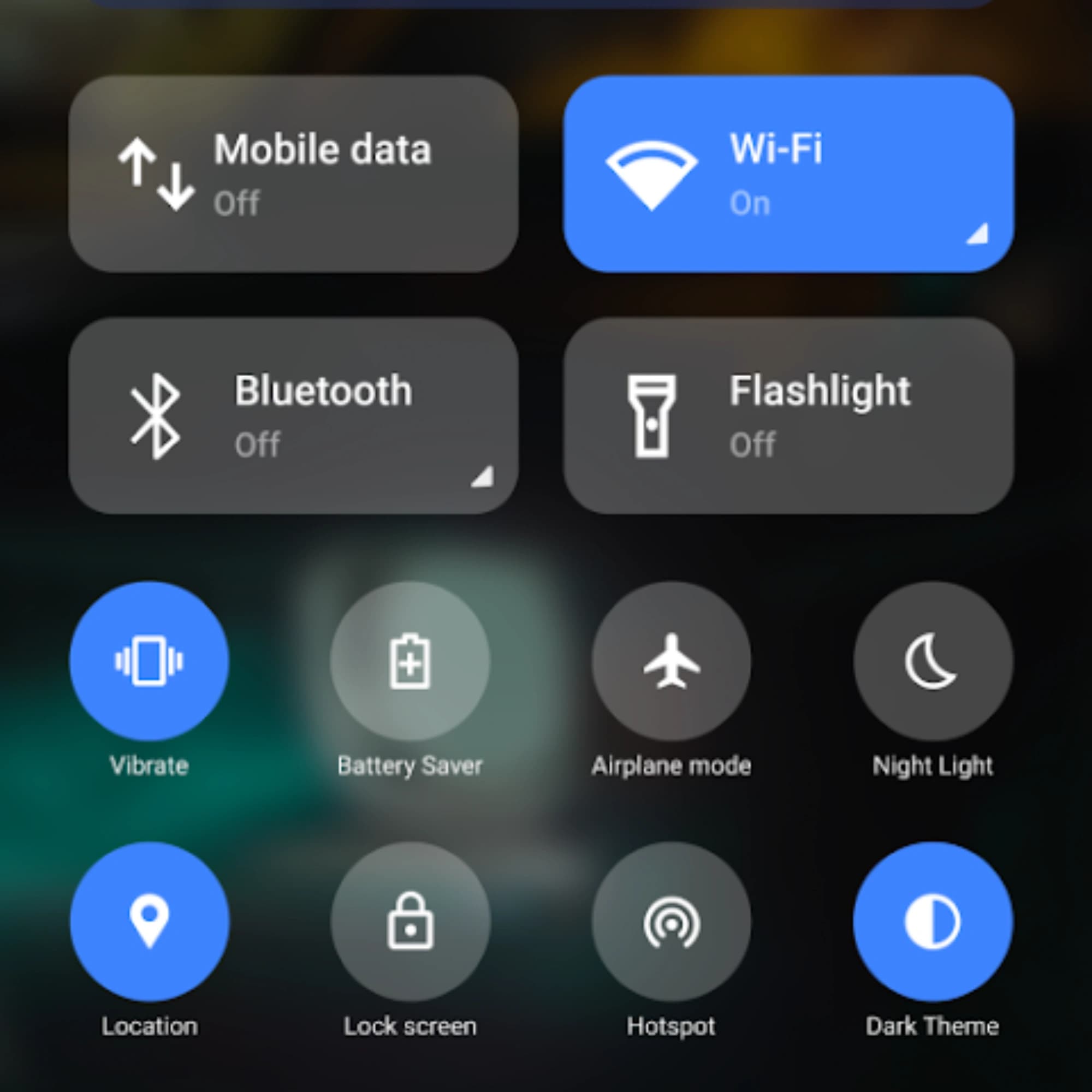
Along with the Notification bars, Android users can customise their on-screen experience even more with the available Quick Setting options. Feel free to choose different colours for the background and foreground. Change the brightness slider colours. Make customised icons with unique visual experiences. And make many interesting customisations to your Quick Setting panel.
Enjoy the free and unlocked app on our website
While the app is free to enjoy on the Google Play Store, it still includes ads and in-app purchases you need to pay for. If you don’t want to pay real money to unlock all these features, you might want to check out the modified version of the app on our website. We offer unlimited in-app features and interesting mods, so you can enjoy the app to the fullest. All it takes is to press the button here to download Power Shade Pro Mod APK from our website.
- Updated
- Rated for 3+
Download the latest Android APK safely.





Comments
0Loading comments…